Scrib is a free encrypted notes app. On September 9, 2026, it went live on the App Store for iPhone, listed as "Scrib: Encrypted Offline Notes", version 3.1.2, for iOS 15 and later. It joins the Android app that has been on Google Play since January 2026 and Scrib Desktop, a separate open source editor for Windows.
Full disclosure: I built Scrib, so these are the maker's release notes, not a review. Every claim here can be checked against Apple's listing and the app itself.
Why an iPhone version
Most iPhone owners already have Apple Notes, and it is private only if you lock the individual note. I wrote up what Apple Notes does and does not protect, and the short version is that the lock is optional and most notes never get one.
Scrib takes the other route: encrypt every note, keep the key on the phone, and never build the part that uploads. On Android that has been the whole product since January. The iPhone app is the same code, built for iOS, plus one new row in Settings called Share Scrib.
What it does
Notes are plain text. Markdown is fine if you use it and ignored if you don't. Around that:
- Folders. Group notes, filter the home screen with one tap, and search by folder name. Folders can be switched off in Settings without deleting anything.
- Checklists. Turn any line into a checkbox item. Items and plain text can sit in the same note, and tapping an item checks it off.
- Tap to edit. Tap anywhere in a note and the cursor lands where you tapped.
- Colors. 44 note colors, plus 14 text colors that apply to the title and body or the body only.
- Search. Find in note highlights matches inside a long note. Search across all notes runs on the phone.
- Import. Bring in .txt and Markdown files, or exports from Google Keep, Simplenote, and Evernote, zip archives included. Files come in through the iPhone's Files picker and are read on the device. Checklists in those exports arrive as live checklists.
- Export. Export All Notes in Settings writes one plain text file per note and hands them to the share sheet, so your notes are never stuck in Scrib.
- Trash. Deleted notes wait 30 days before they are gone for good. Restore any of them before then.
- PIN lock and Vault. An optional 4 to 6 digit PIN protects the app, and repeated wrong guesses trigger a lockout. The Vault is a separate PIN-protected space for the notes you want kept apart from the main list.
- Share Scrib. One tap in Settings hands a short line and the App Store link to the iOS share sheet. This is the only feature the Android app does not have yet; it lands there in October.
- 10 languages. English, Arabic, German, Spanish, French, Hindi, Japanese, Korean, Portuguese (Brazil), and Simplified Chinese.
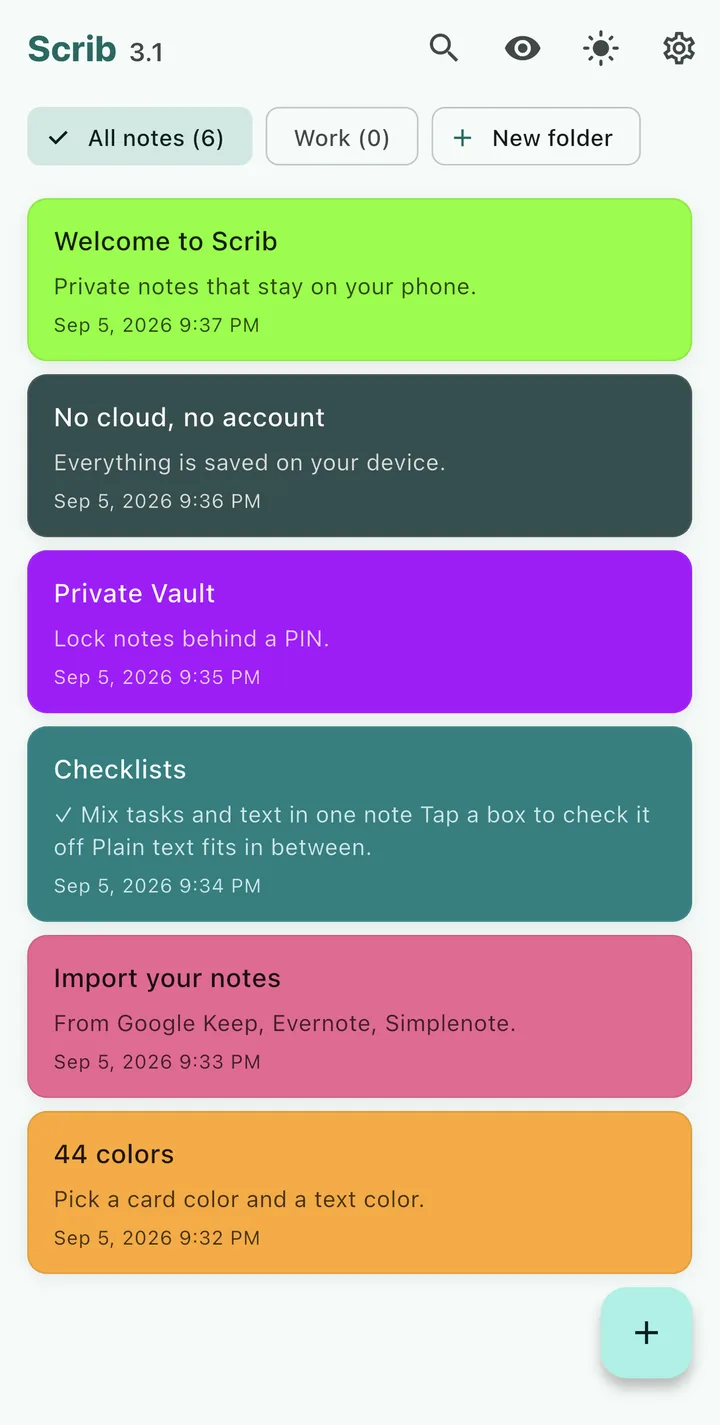
The home screen on iPhone: folders across the top, one color per note.
What it does not do, on purpose
No account. There is no sign-up, no email, no password. Delete the app and nothing about you is left anywhere.
No sync. Notes stay on the phone they were written on. The iPhone app does not talk to the Android app or to Scrib Desktop. If you need the same notes on three devices, Scrib is the wrong tool, and my private notes apps comparison names the encrypted apps that do sync.
No network code. Scrib never makes a request. Two things in Settings look like they might: Rate Scrib and Share Scrib. Both hand a link to iOS and stop. On Android the proof is blunt, since the app has no internet permission at all. iOS has no such permission to show you, so the proof is different: there is no networking library in the app, and Apple's privacy label reads Data Not Collected in all fourteen categories.
No analytics, no crash reports, no ads. If the app crashes, I do not hear about it unless you tell me. Reviews on the App Store and Google Play are the only feedback I get, and on Android they wrote most of the Scrib 3 release.
No charge. Scrib is free, and there is nothing to buy inside the app. It does not charge for anything listed above.
The iCloud backup answer
One line I will not put on the iPhone listing is "no cloud". Here is why.
If iCloud Backup is on, your iPhone backs up the data of most of your apps, and Scrib is one of them. What goes into that backup is Scrib's encrypted notes file, not readable text. Scrib does not opt out of that backup, and that is deliberate: the encryption key lives in the iOS Keychain, and a backup of the same phone carries the key with it. Restore your iPhone from its backup and your notes come back readable. If Scrib had opted out, a restored phone would come back with no notes at all.
So the honest statement is: Scrib itself never uploads anything, and your phone's backup setting decides whether an encrypted copy of the file exists in iCloud. If you never want that copy to exist, open your iPhone's iCloud backup settings, find the list of apps backed up from this iPhone, and switch Scrib off. Understand the trade before you do: lose the phone, lose the notes.
One more case, because it matters: if a phone is restored from a backup that did not include app keys, Scrib finds encrypted notes it cannot open. It shows a recovery screen instead of quietly starting fresh, and it tells you the one thing that can fix it, which is restoring again from an encrypted backup of the old device. Notes are never overwritten to get past the screen.
Moving your notes in
From Google Keep. Open takeout.google.com in Safari on the iPhone, select only Keep so the file stays small, and download the zip to Files. In Scrib, open Settings, tap Import notes, and pick that zip. Each Keep color maps to the closest Scrib color, and any note Scrib already has is skipped, so importing twice never doubles your notes. If Keep is what you are leaving, my Google Keep audit explains what Google can read.
From Evernote. Export a notebook as a .enex file from the Evernote desktop app, send it to your iPhone by AirDrop or save it to Files, then import it the same way. Evernote checklists come in as Scrib checklists.
From Apple Notes. This one is honest but slower, because Apple Notes on the iPhone has no export-everything-as-text button. For a handful of notes, copy and paste: open the note, select all, copy, and paste into a new Scrib note. For a large library, the practical route runs through a Mac, where free utilities on the Mac App Store write each note out as a Markdown file. Exporter is the one I would try first. Zip the folder it produces, move the zip to your iPhone, and Scrib imports the lot.
From Scrib Desktop or any text editor. Plain .txt files import directly. So does a zip of them.
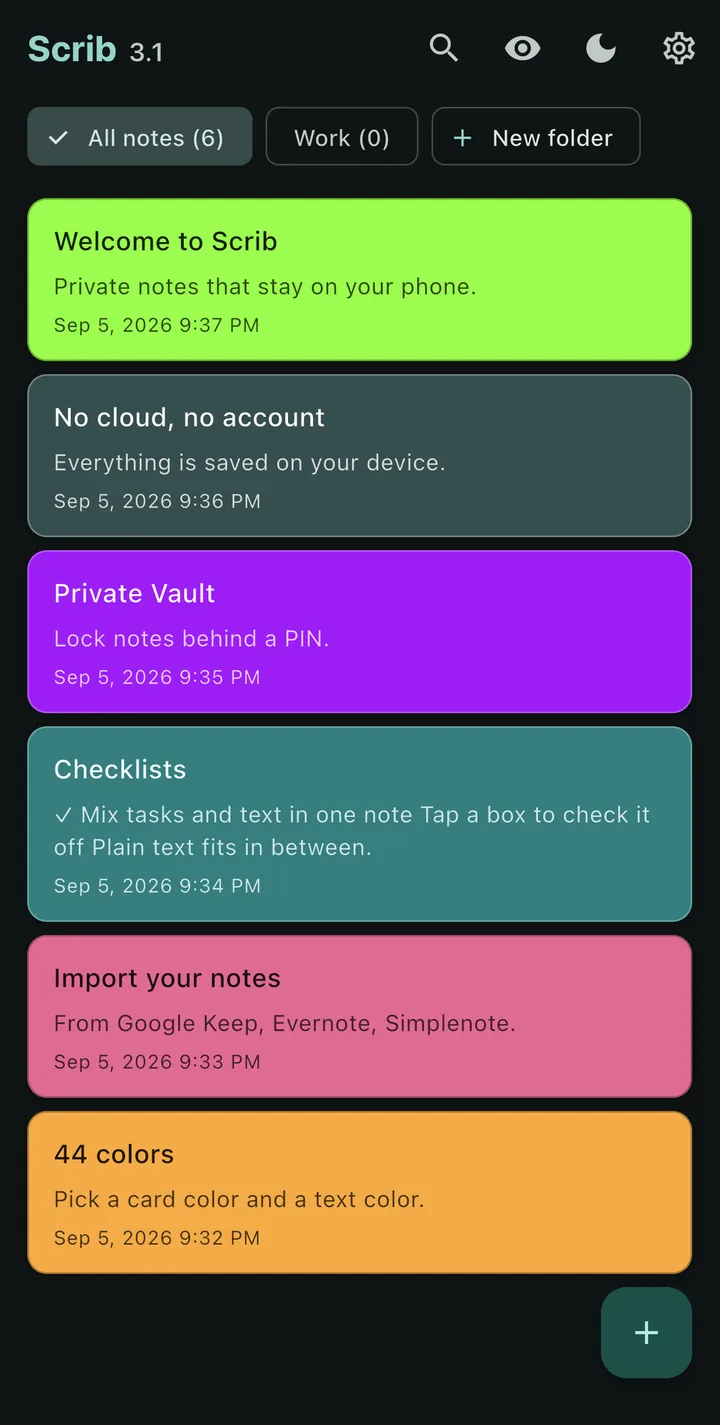
The same home screen in dark mode. Light or dark follows a toggle in the app bar.
What is different from the Android app
Almost nothing, which is the point. The iPhone build is 3.1.2, the Android build on Google Play is 3.1.1, and the only difference between them is the Share Scrib row. Android gets 3.1.2 in October from the same code.
Two platform details are worth knowing. The key lives in the iOS Keychain instead of the Android Keystore, and imports come through the Files picker instead of Android's file chooser. The app is built for iPhone in portrait; it is not an iPad app.
Common Questions
Is Scrib for iPhone free?
Yes. Version 3.1.2 is free on the App Store, with no ads and no in-app purchases. It runs on iPhones with iOS 15 or later.
Does Scrib sync between my iPhone and my Android phone or Windows PC?
No. Notes stay on the device they were written on. Moving them is manual: Export All Notes on one device, then Import notes on the other.
Does Scrib use iCloud?
Scrib has no iCloud sync and never uploads anything itself. Your iPhone's own iCloud Backup can include Scrib's encrypted notes file if that setting is on, and you can switch Scrib off in the backup's app list if you would rather it did not.
What happens if I lose my iPhone?
If your iCloud Backup included Scrib, restoring a new iPhone from that backup brings the notes back. If it did not, the notes are gone with the phone, because no copy exists anywhere else. Export All Notes is the manual insurance.
Can I get my notes out of Scrib?
Yes. Settings, then Export All Notes, writes one plain text file per note and hands them to the iOS share sheet, so you can save them to Files, AirDrop them, or send them anywhere else.
Is Scrib on iPhone the same as Scrib on Android?
Same code, same features, same encryption. The iPhone build carries one extra row, Share Scrib, which reaches Android in October.
Keep Reading
- Is Apple Notes Private? What Apple Can and Cannot Read: what Apple can read, and when the lock actually helps.
- Best Private Notes Apps for Android: an honest comparison, Scrib included, with the apps that do sync.
- Scrib 3 for Android: Folders, Import, and Checklists: the release the iPhone app is built from, and the reviews that shaped it.
- Best Notes Apps That Don't Need an Account: no email, no cloud, ranked honestly.
- Notes App Encryption at Rest: encrypted at rest vs end-to-end, and which one your app has.
Scrib for iPhone
Free, AES-256 encrypted notes that stay on your phone, with folders, checklists, import, a PIN lock, and a Private Vault. No account, no sync, no tracking.